
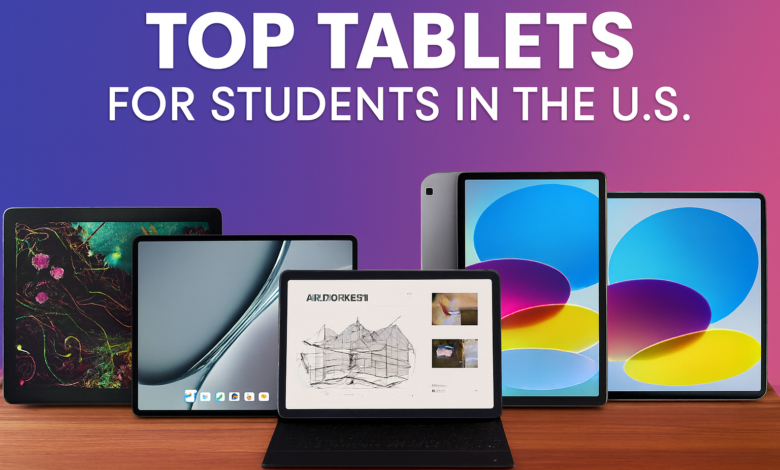
In 2025, tablets have become essential tools for students across the U.S.—from middle school to graduate programs. Whether you’re taking notes, attending Zoom classes, reading e-books, or sketching diagrams, a good tablet can replace your laptop and streamline your academic life. This guide breaks down the best tablets for students based on expert reviews, hands-on testing, and real-world usability.
🎓 ?What Makes a Tablet Great for Students
Before diving into the top picks, here are the key features students should look for:
- Portability: Lightweight and easy to carry between classes.
- Battery Life: At least 8–10 hours of use per charge.
- Stylus Support: For note-taking, drawing, and annotations.
- Keyboard Compatibility: Optional detachable keyboards for typing essays.
- App Ecosystem: Access to educational apps, cloud storage, and productivity tools.
- Price: Ideally under $800, with budget options under $300.
🥇 Best Overall: Apple iPad Air (M2, 2025)
- Price: ~$599
- Why it’s great: The iPad Air balances power and portability. With the M2 chip, it handles multitasking, video editing, and note-taking with ease.
- Student perks: Apple Pencil 2 support, Magic Keyboard compatibility, and access to iWork, Notability, and GoodNotes.
- Battery life: Up to 10 hours.
- Best for: College students, design majors, and anyone in the Apple ecosystem.
💻 Best for Windows Users: Microsoft Surface Go 4
- Price: ~$699
- Why it’s great: Full Windows 11 experience in a tablet form. Ideal for students who need desktop apps like Word, Excel, and PowerPoint.
- Student perks: Detachable keyboard, Surface Pen support, and USB-C port.
- Battery life: 11 hours.
- Best for: Business, engineering, and law students.
🖊️ Best for Note-Taking: Samsung Galaxy Tab S9 FE
- Price: ~$449
- Why it’s great: Comes with the S Pen included, making it perfect for handwritten notes and sketches.
- Student perks: Samsung Notes, DeX mode for desktop-like experience, and AMOLED display.
- Battery life: 13 hours.
- Best for: High school and college students who prefer Android.
🎨 Best for Creatives: Wacom One 13 Touch
- Price: ~$599
- Why it’s great: Designed for artists and design students. Offers pressure-sensitive stylus and accurate color display.
- Student perks: Works with Adobe apps, Clip Studio Paint, and more.
- Battery life: Plug-in device (no battery).
- Best for: Art, animation, and architecture students.
💰 Best Budget Pick: Lenovo Tab P12
- Price: ~$299
- Why it’s great: Solid performance for basic tasks like browsing, reading, and video calls.
- Student perks: Optional keyboard, stylus support, and long battery life.
- Battery life: 10–12 hours.
- Best for: Middle school and budget-conscious college students.
📚 Best for Reading & Research: Amazon Fire Max 11
- Price: ~$229
- Why it’s great: Affordable and optimized for reading, browsing, and streaming.
- Student perks: Access to Kindle, Audible, and Microsoft 365.
- Battery life: 14 hours.
- Best for: Literature, humanities, and casual users.
🧠 How to Choose the Right Tablet
Here’s a quick decision guide:
| Student Type | Recommended Tablet |
|---|---|
| General College Use | iPad Air M2 |
| Windows Power User | Surface Go 4 |
| Android Note-Taker | Galaxy Tab S9 FE |
| Art & Design Student | Wacom One 13 Touch |
| Budget-Conscious | Lenovo Tab P12 |
| Reading Focused | Amazon Fire Max 11 |
🔋 Battery Life Comparison
| Tablet | Battery Life |
|---|---|
| iPad Air M2 | 10 hours |
| Surface Go 4 | 11 hours |
| Galaxy Tab S9 FE | 13 hours |
| Lenovo Tab P12 | 12 hours |
| Fire Max 11 | 14 hours |
🛠️ Accessories That Boost Productivity
- Stylus: Apple Pencil, S Pen, Surface Pen
- Keyboard: Magic Keyboard, Surface Type Cover, Lenovo Folio
- Apps: Notion, OneNote, Evernote, Google Docs, Zoom, Canvas
🏆 Final Thoughts
The best tablet for students in the U.S. depends on your major, budget, and workflow. Apple’s iPad Air M2 is the most versatile, but Samsung’s Tab S9 FE offers unbeatable value with stylus included. For Windows users, Surface Go 4 is a laptop replacement in disguise.
No matter your choice, investing in a tablet that supports your academic goals can make your student life more productive, organized, and enjoyable.


