Samsung S26 Ultra productivity has been the benchmark in the smartphone world for years. Since the Note series morphed into the Ultra line, Samsung has positioned its largest flagship not just as a communication or entertainment device, but as a pocket-sized command center. But in an era of increasingly powerful foldables, sophisticated AI integrations from competitors, and laptops that are thinner than ever, the question looms: does the Samsung S26 Ultra still wear the productivity crown? This deep dive examines its tools, ecosystem, and evolving role in a professional’s arsenal to determine if it remains the undisputed monarch or if its reign is being challenged.
The Pillars of Power: What Built the Throne
The S26 Ultra’s claim to productivity supremacy wasn’t built overnight. It rests on four foundational pillars that have been refined over generations. First and foremost is the iconic S-Pen. Unlike a mere stylus, the S-Pen offers precision pressure sensitivity, ultra-low latency, and a suite of Air Gestures that allow for remote control of the device. It transforms the phone from a touch-screen into a digital notebook, a precise photo editor, and a presentation tool.
The second pillar is Samsung DeX. This revolutionary feature bridges the gap between mobile and desktop, allowing users to connect their phone to a monitor, keyboard, and mouse for a PC-like experience. With resizable windows, a taskbar, and file management that feels familiar, DeX enables serious work without the need for a traditional computer.
Third is the hardware itself. The S26 Ultra’s massive, vibrant, and flat display is a canvas for multitasking. The robust processor and generous RAM ensure that running multiple apps, including demanding ones, is a smooth experience. Finally, the software layer, particularly the advanced multitasking features like split-screen, pop-up view, and App Pair, creates a fluid environment for juggling tasks.
Evolution, Not Revolution: The S26 Ultra’s Latest Arsenal
The latest iteration, the S26 Ultra, doesn’t tear up the rulebook but sharpens every tool in the shed. The focus has been on refinement and intelligent assistance. The S-Pen latency is now virtually imperceptible, making writing feel as natural as ink on paper. New AI-powered features in the Notes app can auto-format scribbles, summarize lengthy texts, or translate notes on the fly.
Samsung DeX has seen subtle but meaningful improvements in wireless stability and multi-monitor support. The integration of advanced AI across the system, from Circle to Search with Google to generative edit in the Gallery, streamlines information gathering and content creation—key aspects of modern productivity.
The Competitive Arena: Challengers to the Crown
No king rules without challengers. The landscape for productivity phones has diversified significantly. Apple’s iPhone Pro Max series, with its powerful ecosystem continuity (Handoff, Universal Control) and robust third-party app support, is a formidable foe for those entrenched in Apple’s world. Google’s Pixel series leverages AI in deeply integrated ways, offering call screening, summarization, and clever automation that can save immense time.
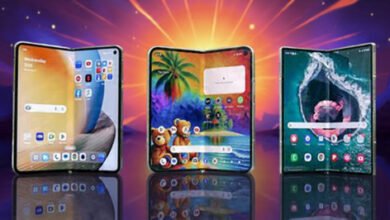
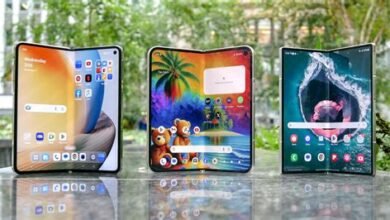
The most direct threat, however, comes from within Samsung’s own house and the broader Android market: foldables. Devices like the Galaxy Z Fold6 offer a tablet-sized screen that unfolds from your pocket, making multitasking and document viewing inherently more spacious. The question for the S26 Ultra is whether the precision of the S-Pen and the durability of a traditional slab design outweigh the expansive canvas of a foldable.
| Feature | Samsung S26 Ultra | Galaxy Z Fold6 | iPhone 16 Pro Max |
|---|---|---|---|
| Primary Productivity Tool | S-Pen Integration | Large Flexible Display | Ecosystem Integration |
| Multitasking Advantage | Robust Split-Screen & Pop-Up View | Native App Pairing on Big Screen | Stage Manager (with iPad/Mac) |
| Desktop Experience | Samsung DeX (Wired/Wireless) | Samsung DeX (on larger screen) | Continuity & Sidecar |
| Key Limitation | Fixed Screen Size | Durability Concerns, Price | No Native Stylus Support |
Real-World Workflow: Where the S26 Ultra Excels and Falters
In practice, the Samsung S26 Ultra productivity suite shines in specific scenarios. For mobile professionals who sign documents, markup PDFs, sketch diagrams, or take handwritten notes in meetings, the S-Pen is irreplaceable. Journalists, students, and creatives find this functionality unparalleled. DeX is a lifesaver for business travelers who can leave their laptop at home, turning a hotel TV into a temporary workstation. The all-day battery life ensures you’re not chained to an outlet.
However, the device falters when tasks require large, simultaneous visual contexts. Comparing three large spreadsheets or writing a report while referencing lengthy research documents is inherently cramped on a 6.8-inch screen, even with clever multitasking. This is the foldable’s sweet spot. Furthermore, while DeX is powerful, it still relies on mobile-optimized or web versions of apps like Adobe Photoshop or full-featured coding IDEs, which can be limiting for advanced professional work.
Samsung S26 Ultra Productivity: A Quantitative Analysis
To move beyond anecdotes, we can score the Samsung S26 Ultra productivity across key domains. In content *consumption* (reading, reviewing), it scores a 9/10 thanks to its superb display. For content *annotation* (marking up, note-taking), it is a near-perfect 10/10 with the S-Pen. For communication and management (email, Slack, calendars), it’s a strong 9/10. However, in content *creation (writing long documents, complex video edits, coding), its score drops to a 7/10, constrained by screen real estate and app limitations, though DeX can elevate this to an 8/10. Its overall average remains exceptionally high, but the gaps are where competitors see an opening.
The Verdict: An Enduring Monarch, But the Kingdom Has Expanded
So, is the Samsung S26 Ultra still the king of productivity? The answer is nuanced. It remains the undisputed king of precision mobile productivity. If your workflow hinges on the act of writing, drawing, annotating, and controlling your device with a stylus, there is simply no equivalent. Its combination of the S-Pen, robust build, DeX, and top-tier performance is a unique and powerful amalgam.
However, the very definition of “productivity” on a phone is expanding. For users whose primary need is seamless ecosystem synergy, Apple’s crown is strong. For those who prioritize AI-assisted automation, Google is a compelling contender. And for professionals who crave maximum screen real estate above all else, the foldable is the new paradigm.
Therefore, the S26 Ultra’s reign continues, but it is no longer an absolute monarchy. It rules the specific domain of pen-first, on-the-go professional work with absolute authority. In the broader, diversified kingdom of mobile productivity, it sits as a first among equals—a still-relevant and incredibly powerful sovereign, but one now aware of capable rivals in its court. For the right user, its crown still gleams brightest.
Frequently Asked Questions (FAQs)
- Can the Samsung S26 Ultra really replace my laptop?
For many tasks (email, web browsing, document editing, light photo work via DeX), yes. For intensive tasks like high-end video editing, 3D rendering, or specialized software, a traditional laptop or desktop is still necessary. - Is the S-Pen worth it if I’m not an artist?
Absolutely. The S-Pen is invaluable for signing documents, precisely editing photos, taking quick notes in meetings, navigating the phone with Air Gestures, and even as a remote camera shutter. - How does Samsung DeX compare to just using a phone with a Bluetooth keyboard?
DeX provides a full desktop-style interface with resizable windows, a taskbar, and a file manager. It’s a fundamentally different and more powerful multitasking environment than just using the standard phone UI with a keyboard attached. - Should I choose the S26 Ultra or a Galaxy Z Fold6 for productivity?
Choose the S26 Ultra if the S-Pen is critical, you prioritize durability, or prefer a traditional form factor. Choose the Z Fold6 if a larger screen for multitasking and media consumption is your top priority and you’re comfortable with the foldable design. - Does the S26 Ultra’s AI features significantly boost productivity?
Yes, features like note summarization, live call translation, AI-powered search, and automated photo/video editing can save considerable time and streamline workflows that involve information processing and content creation.