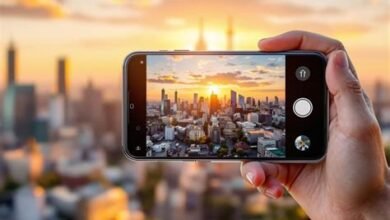
Google Pixel 10 Pro AI is not just a feature; it’s a paradigm shift in computational photography. It represents the culmination of years of machine learning research, now distilled into a device that fits in your pocket, promising to democratize high-end photo editing that was once the exclusive domain of professionals with expensive software suites. This isn’t about slapping a filter on your snapshot. This is about understanding the intent behind an image, the physics of light, and the principles of visual storytelling, then applying that knowledge with the precision of a seasoned Hollywood colorist or VFX artist. The Google Pixel 10 Pro AI turns your smartphone into a portable post-production studio, leveraging Tensor G5’s dedicated processing cores to perform feats of image manipulation that feel less like editing and more like conjuring.
The Engine of Imagination: Tensor G5 and On-Device AI
At the heart of this revolution lies Google’s custom-designed Tensor G5 chip. Unlike its predecessors, the G5 is architected with a singular focus: to run large, complex AI models entirely on the device, without needing a cloud connection. This means latency is virtually eliminated, your data remains private, and the AI can work in real-time as you frame your shot or make adjustments. The Google Pixel 10 Pro AI capabilities are powered by a new generation of generative models that have been trained on millions of professionally edited photographs and cinematic frames. They don’t just detect objects; they understand scenes, moods, and compositional elements like depth, leading lines, and negative space. This foundational technology enables the suite of pro-grade tools that define the Pixel 10 Pro experience.
Deconstructing the Magic: Key AI-Powered Features
The magic of the Google Pixel 10 Pro AI is best understood by exploring its flagship editing features. Each one tackles a specific, complex post-production task, automating the technical heavy lifting while leaving creative control in your hands.
Cinematic Relighting: The Spielberg in Your Pocket
Perhaps the most jaw-dropping feature is Cinematic Relighting. Using a detailed depth map and a sophisticated understanding of light sources and material properties, the AI allows you to change the direction, color, and intensity of light in a photo after it’s been taken. Did someone’s face fall into shadow? Drag a virtual softbox to illuminate them perfectly. Want to give a sunset portrait a golden-hour glow? Adjust the warmth and angle of the sun. The Google Pixel 10 Pro AI recalculates shadows, highlights, and even specular reflections on surfaces like eyes or water, with breathtaking realism. It’s akin to having a full lighting crew and gaffer at your command during the edit.
Pro Painter: Context-Aware Object Manipulation
Erasing unwanted photobombers or distracting elements is old news. Pro Painter goes far beyond simple removal. Using a brush tool, you can paint over any object, and the AI doesn’t just fill the space with a generic patch—it generates new, contextually perfect content. Need to remove a modern street sign from a historic building facade? Pro Painter will reconstruct the brickwork or stone carving, matching texture, pattern, and aging. It can also intelligently duplicate or move elements. Want an extra flower in a vase or to reposition a subject within the frame? Pro Painter makes it seamless, analyzing perspective and lighting to make the addition undetectable.
AI Color Grading Suite: From Log to Legendary
Inspired by the workflows of film colorists, this suite introduces a professional-grade color workspace. You can apply complex, multi-point color curves, adjust hues for specific color ranges (e.g., only shift the blues in the sky), and use AI-powered LUTs (Look-Up Tables). The Google Pixel 10 Pro AI can even analyze your photo and suggest LUTs based on cinematic genres: “Blockbuster Sci-Fi,” “Noir Mystery,” “Vintage Western.” Furthermore, it offers simulated film stock emulations that go beyond color, replicating the grain structure and dynamic response of classic films like Kodak Portra or Fujifilm Velvia.
Portrait Studio: Beyond the Bokeh
Portrait mode gets a Hollywood makeover. The AI allows for incredibly precise depth-of-field adjustments. You can set not just the *amount* of blur, but the *character of the bokeh—simulating the look of specific anamorphic or vintage lenses. You can also add authentic-looking lens flares, subtle atmospheric haze, or even change the virtual aperture shape. The Google Pixel 10 Pro AI also provides advanced skin and detail retouching that works on a sub-dermal level, smoothing imperfections while preserving texture, pores, and hair—banishing the dreaded “plastic skin” effect of lesser retouching tools.
| Feature | Traditional Pro Tool Equivalent | Pixel 10 Pro AI Innovation |
|---|---|---|
| Cinematic Relighting | 3D lighting in DaVinci Resolve or Blender | Real-time, photo-based 3D scene reconstruction & relighting on-device. |
| Pro Painter | Content-Aware Fill + Clone Stamp in Photoshop | Generative, context-aware creation & object manipulation with a single brush stroke. |
| AI Color Grading Suite | Primary/Secondary color wheels & custom LUTs in Premiere Pro | AI-suggested cinematic LUTs & genre-based grading with on-device processing. |
| Portrait Studio | Lens blur plugins & frequency separation retouching | Physically accurate lens simulation & texture-preserving skin retouching. |
The Professional Workflow, Simplified
The brilliance of the Google Pixel 10 Pro AI is how it integrates these powerful tools into an intuitive interface. A “Pro Edit” mode presents adjustments not as sliders with obscure names, but as visual concepts. Instead of “Clarity” and “Dehaze,” you might see “Add Atmosphere” or “Enhance Drama.” The AI handles the underlying technical adjustments across multiple parameters. For power users, an “AI Inspector” panel can explain what changes the AI made, providing a learning bridge between automated magic and manual skill. This fusion of automation and education is key to its pro appeal.
From Capture to Final Master: A Real-World Example
Imagine capturing a portrait in a busy urban park. The shot is good, but the background is cluttered. With the Google Pixel 10 Pro AI, you would: 1) Use **Pro Painter** to seamlessly remove distracting signs and people. 2) Apply **Cinematic Relighting** to add a directional, golden-hour sunbeam onto your subject’s face, warming their skin tone. 3) Jump into the **AI Color Grading Suite** to apply a “Warm Vintage” LUT, then tweak the curve to crush the blacks slightly for a filmy look. 4) Finally, open **Portrait Studio* to add a subtle anamorphic lens flare and adjust the bokeh to be more oval-shaped. This entire process, which might take hours in a desktop suite, is accomplished in minutes on your phone.
Ethics, Authenticity, and the Future of Photography
The power of the Google Pixel 10 Pro AI inevitably raises questions. Where is the line between enhancement and fabrication? Google has implemented robust metadata standards, with an optional “AI Edit History” log embedded in the file, allowing viewers to see which elements were generatively altered. The tool is designed not to deceive, but to empower creative expression—much like a painter uses a brush. It shifts the photographer’s role from a passive capturer of reality to an active director of it. This is the future: mobile devices as the primary canvas for visual storytelling, with AI as the collaborative brush.
Conclusion: The Democratization of High-End Artistry
The Google Pixel 10 Pro AI is a landmark achievement. It successfully packages the kind of sophisticated, layer-based, physics-aware editing that fuels Hollywood blockbusters and high-fashion campaigns into an interface that is approachable for enthusiasts yet powerful enough for professionals. It redefines what is possible in mobile photography, moving beyond capturing a moment to crafting a vision. The Google Pixel 10 Pro AI doesn’t just edit your photos; it unlocks the Hollywood pro within you, making the most advanced visual storytelling techniques accessible anywhere, anytime. This is more than an upgrade; it’s the dawn of a new creative era.
Frequently Asked Questions (FAQs)
- Does the Google Pixel 10 Pro AI require an internet connection to work?
No. A core innovation of the Tensor G5 chip is that all these AI models run entirely on-device, ensuring privacy, speed, and functionality anywhere. - Can I revert specific AI edits after saving?
Yes. The Pixel 10 Pro saves a non-destructive edit history, allowing you to step back through each change individually, even days later. - Are the AI-edited photos distinguishable from originals?
Google adds optional metadata to flag generatively altered areas, promoting authenticity. Visually, the goal of the AI is to make edits seamless and realistic. - Will these AI features come to older Pixel models?
Some cloud-based features may trickle down, but the flagship on-device capabilities like Cinematic Relighting are heavily dependent on the Tensor G5’s new hardware and will likely remain exclusive to the Pixel 10 series. - Can the AI tools edit videos as well?
Currently, the most advanced features are for still photos. However, real-time video features like enhanced stabilization and HDR+ leverage the same underlying AI, and Google is expected to expand pro editing to video in future updates.