Google Pixel 10 Pro has arrived, not just as another flagship smartphone, but as a testament to Google’s vision of an AI-first future. While its stunning design, powerful Tensor G5 chip, and brilliant camera system are rightfully celebrated in every review, the true magic of this device lies beneath the surface. The Google Pixel 10 Pro is packed with intelligent, subtle, and profoundly useful features that many users might never stumble upon. This article is your guide to those secrets. We will delve deep into five hidden features that transform this powerful hardware into an intuitive, personalized, and almost anticipatory companion. From revolutionizing how you interact with your screen to unlocking new creative potentials in photography, these features are what truly set the Google Pixel 10 Pro apart in a crowded market. Understanding and mastering these tools is key to unlocking the full, extraordinary potential of your device.
1. Adaptive Touch: The Screen That Understands Your Environment
One of the most ingenious yet understated features of the Google Pixel 10 Pro is Adaptive Touch. Buried within the ‘Display’ settings, this feature leverages the phone’s array of sensors and on-device AI to dynamically adjust the screen’s touch sensitivity and response. The Google Pixel 10 Pro doesn’t just have a fast screen; it has a smart one. It can detect if you’re wearing gloves and boost sensitivity to ensure your taps register. It understands when the screen is wet from rain or spills and modifies its interpretation of touch inputs to prevent mis-taps. It even adjusts responsiveness based on how you’re holding the phone—whether in a firm grip or using just your fingertips.
| Situation Detected | Adaptive Touch Response | User Benefit |
|---|---|---|
| Wearing Gloves | Increases touch sensitivity significantly. | Use phone without removing gloves in cold weather. |
| Wet Screen (Rain, Liquids) | Algorithms filter out water droplets as false touches. | Phone remains usable outdoors in bad weather or with wet hands. |
| Phone in Pocket/Bag | Uses proximity sensor and AI to lock touch input entirely. | Prevents accidental pocket dialing and battery drain. |
| Precision Mode (Activated by stylus or pinch) | Reduces touch area for pinpoint accuracy. | Perfect for detailed photo editing, drawing, or selecting small text. |
To enable this, navigate to Settings > Display > Adaptive Touch. The Google Pixel 10 Pro learns your usage patterns over time, making these adjustments feel seamless and natural. It’s a feature you don’t notice until you use another device and realize how often you have to adjust your interaction style.
2. Cinematic Wallpaper: A New Dimension of Personalization
Move over, static wallpapers and live wallpapers. The Google Pixel 10 Pro introduces a next-level personalization feature called Cinematic Wallpaper. This isn’t just a video loop; it’s an AI-generated 3D parallax effect created from your own 2D photos. Using the powerful Tensor G5’s AI capabilities, the phone analyzes a standard photo you’ve taken—a portrait of a loved one, a landscape from a vacation, even a picture of your pet—and intelligently extrapolates a depth map. It then separates the foreground subject from the background, creating a stunning, subtle 3D effect that responds to your phone’s motion as you tilt the device.
The process is remarkably simple but the result is deeply impressive. It adds a layer of dynamism and personality to your home screen that feels premium and unique. This feature is hidden within the wallpaper picker. Long-press on the home screen, select ‘Wallpaper & style,’ and when choosing a photo, look for the ‘Cinematic’ badge or option. The Google Pixel 10 Pro will process the image in seconds, and you’ll have a living memory as your backdrop. It’s a perfect example of Google using AI not for gimmicks, but for meaningful, beautiful user experiences.
3. Assistant Voiceprint: Your Truly Private, Personalized AI
Google Assistant has always been capable, but with the Google Pixel 10 Pro, it becomes truly personal and private with the Voiceprint feature. This is a groundbreaking step in on-device AI privacy. Voiceprint allows you to train Google Assistant to recognize only your voice for sensitive operations. Once set up, commands like “Read my notifications,” “Show me my calendar,” or “Send a message to [contact]” will only be executed if the Assistant is certain it’s you speaking.
This goes beyond simple voice match. Using the Tensor G5’s dedicated security core and advanced speech models, the Google Pixel 10 Pro creates a unique vocal biometric profile. This means someone with a similar voice or a recording cannot access your personal information, even if your phone is unlocked. The setup is found in Settings > Security & privacy > Device locks > Voiceprint. You’ll be guided through a short training phrase. After this, your private interactions with the Assistant are secured by your unique voice, blending ultimate convenience with iron-clad security—a hallmark of the Google Pixel 10 Pro philosophy.
How Voiceprint Enhances Security
The Google Pixel 10 Pro uses Voiceprint to create a secure enclave for personal data. When a voice command is given, the audio is processed on-device to verify the vocal pattern against the stored Voiceprint before any personal data is accessed or an action is taken. This ensures that even if someone has physical access to your unlocked phone, they cannot verbally command it to reveal your private messages, emails, or schedule.
4. Pro Camera Controls: Unleashing the Photographer Within
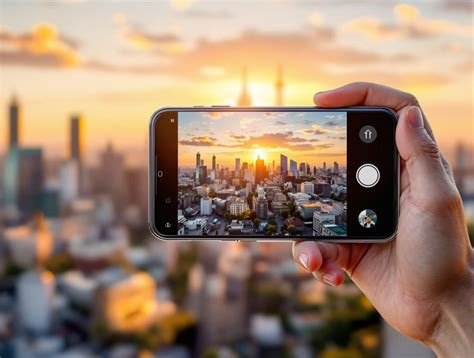
While the Pixel camera is famous for its point-and-shoot brilliance, the Google Pixel 10 Pro hides a powerful suite of manual ‘Pro’ controls within the Camera app, designed for enthusiasts who want full creative control. Swipe to the ‘More’ section in the camera mode selector and you’ll find ‘Pro’ mode. This unlocks a world of parameters typically reserved for dedicated cameras.
| Control | Function | Creative Use Case |
|---|---|---|
| Shutter Speed (1/8000s to 30s) | Controls how long the sensor is exposed to light. | Freeze fast action (sports) or create light trails (long exposure night shots). |
| Manual Focus (With Focus Peaking) | Allows precise manual focusing; peaking highlights in-focus edges. | Perfect for macro photography or intentional soft-focus artistic shots. |
| White Balance (Kelvin scale) | Manually set color temperature. | Correct unusual lighting or create a specific mood (warm sunset, cool blue hour). |
| ISO (50-6400) | Controls sensor light sensitivity. | Manage grain/noise in low light by balancing with shutter speed. |
| RAW Capture (DNG files) | Saves unprocessed sensor data. | Provides maximum flexibility for professional editing in apps like Lightroom. |
This transforms the Google Pixel 10 Pro from an automated wonder into a versatile creative tool. You can capture the Milky Way with a long exposure, perfectly focus on a dewdrop on a spiderweb, or ensure consistent white balance across a photo series. The power of computational photography (like Night Sight and HDR+) still works in tandem with these manual settings, giving you the best of both worlds.
5. System-Wide Adaptive Battery 2.0 with App Predictions
Adaptive Battery is not new, but the Google Pixel 10 Pro takes it to a prophetic level with its second generation. This feature is hidden in its operation, not in the settings. It uses the Tensor G5’s machine learning group to not only learn which apps you use least and restrict their background activity but also to predict which apps you are about to use and pre-load them into memory.
For example, if you open your fitness app every weekday at 6 PM, the Google Pixel 10 Pro will learn this pattern. Around 5:55 PM, it will begin to allocate a small amount of resources to that app so that when you do tap its icon, it launches instantly. Conversely, if you only use a certain game on weekends, it will deeply hibernate it during the week, saving precious battery life. This predictive loading happens entirely on-device, respecting your privacy. The result is a device that feels faster and more responsive to your personal rhythm, while also delivering the exceptional battery life the Google Pixel 10 Pro is renowned for. You can view its predictions and adjustments in Settings > Battery > Adaptive preferences.
Frequently Asked Questions (FAQs)
- Q: Is the Cinematic Wallpaper feature a battery drain?
A: No, it’s highly optimized. The 3D effect is only rendered when the home screen is active and you’re moving the phone. When idle or in an app, it uses no extra power. - Q: Can I use Voiceprint with multiple voices (e.g., for a family member)?
A: Currently, Voiceprint on the Google Pixel 10 Pro is designed as a single-user security feature. It supports one voice profile per device. - Q: Do Pro Camera Controls work on all lenses (ultra-wide, telephoto)?
A: Yes. When you switch lenses in Pro mode, the manual controls (shutter speed, ISO, focus, etc.) apply to the currently selected lens, giving you full control over every camera on the device. - Q: Where are the RAW (DNG) photo files saved?
A: They are saved in the same folder as your regular photos in Google Photos or your file manager. They will have a .dng extension and can be much larger in file size. - Q: Can I turn off Adaptive Touch if I find it distracting?
A: Absolutely. You have full control. Go to Settings > Display > Adaptive Touch and toggle it off. You can also customize which scenarios it responds to.